Monday, November 5, 2018

Going Old School - Purposefully Working In Manual Focus Lenses

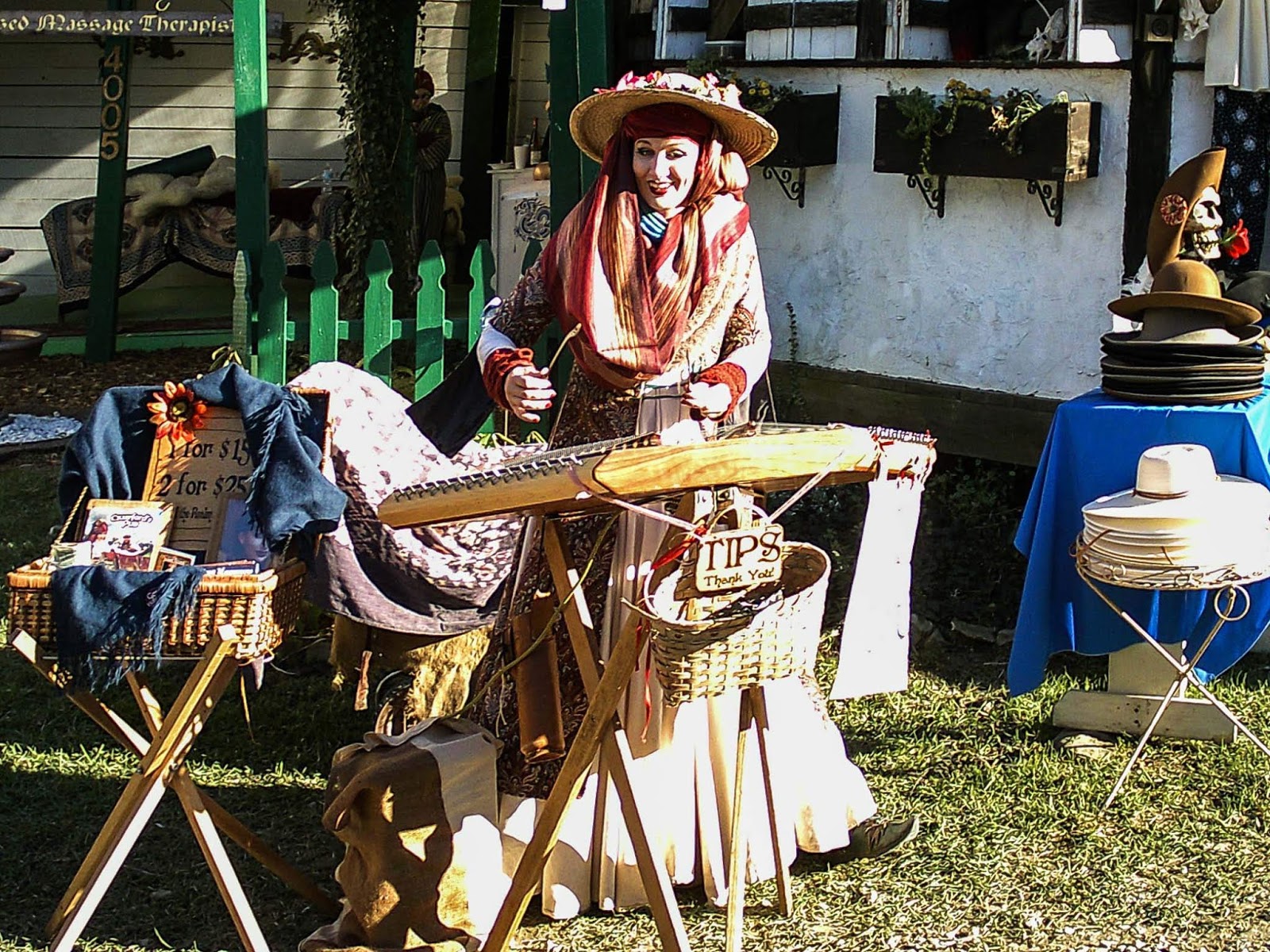
Nikon Df / Nikon 20mm f/3.5 AIS
1/320, f/8, ISO 800

I've done a lot of soul searching over the last 31 days.  Starting Oct 1, 2018 I purposefully disconnected myself from social media sites, forums and a bulk of the internet for 31 days.

I kept my business posts going by using schedulers and had all that I wanted to publish ready to go.

Over that 31 days, I've learned a lot about myself, where I want to go and who I want to be going into the future.

Let me start of by prefacing this with one thing.   I'm so sick and tired of the know it all pundits, click bait articles and YouTube videos.   I've not missed the online forum arguments where the trolls come out and pick fights or those that don't have a clue claim to be experts.

I'm one person with an opinion sometimes.   Opinions are good as they give you perspective into the way that others think.  Opinions about anything can be done respectfully or they can be represented in absolute douche-baggery.   Not going to lie, I've fallen into all those traps before - either victim to them or perpetrated them myself.

Those days are over, my friends!   After the last 31 days, I know that I am going to divest my life from the noise and find that awesome, low level under current of fellowship and knowledge.   I'm going to seek that out and offer it up.

Olympus EM5 Mark II / ZhongYi Speedmaster 25mm f/0.95
1/125, f/1.2, ISO 500

With that being said, the title may have you wondering.  No, I'm not going to tell you that working with manual focus lenses is the "only way to learn" or that "doing everything manually" is "true photography".   Too many judgments are associated with those kinds of thinking.   I'm going to share with you my journeys and experiences and allow you to glean from them what you will.

Also, along the way, we may not always agree.  I make this pledge that even if we disagree, that I will disagree respectfully.  We can have debates and disagreements - but we should never let anything that we disagree upon put us in a position that we cannot have a civil discourse about it.  This is, after all about photography.  It is about an art form that can be at times very scientific in how it is approached (objective) and at the very same time very subjective and up to the likes, dislikes or biases of the viewer.

Nikon Df / Nikon 105mm f/2.5 AIS
1/125, f/8, ISO 2000

Alrighty...soul bearing stuff out of the way, lets talk about manual focus lenses.   Yes, you've read it right - I purposefully decided to work one full day making images with only manual focus lenses and prime lenses at that as well.

I'll get into more of that detail later.  This article is also going to discuss manual focus photography in general.

Olympus PEN-F / Nikon 55mm f/3.5 Macro
1/320, f/4, ISO 200

Starting off, the WHY.

OK, why??   Why not!

Let's look at price.  I've had the good fortune of having 2 very well respected camera stores near me.  they have great selections in vintage SLR lenses.   Having Nikon f-mount cameras and adapters for our Micro Four Thirds cameras, I can take advantage of some great values.

My most expensive purchase on a manual focus lens so far has been $270 on a Nikon 180mm f/2.8 ED AIS lens.   My least expensive lens has been $30 for the Nikon 55mm f/3.5 macro lens.

Olympus PEN-F / Mitakon Creator 85mm f/2
1/500, f/4, ISO 200

Even for pixel peepers, the Nikon 180mm and 55mm macro are superbly sharp and worth the money even looking at them against modern lens designs.  If you are shooting macro or portrait, you can often get great images without the need of auto focus.

Now, let's get into desire.  Why would I want to work in this way.  Honestly, for me it is another way of approaching photography.   We already have so much automation, of which I am very thankful for, that sometimes I find the whole process very sterile.  Camera picks the exposure, you place the AF point over the subject and click the shutter.  Lather, rinse, repeat.   Did that sound like I was complaining?   On the contrary!!   Again, perspective.  If I am working a shoot for a client, I may only have a certain amount of time to work and the automation helps keep things moving along.   It makes getting the images that make me money easier to get.
Olympus PEN-F / Nikon 55mm f/3.5 Macro
1/400, f/5.6, ISO 200

Thinking different sparks imagination.  It makes you solve problems in other ways beside what you are normal.  All these things cause you to grow as a person and a photographer.  Growth is life, stagnation - death.

Image quality and rendering are another aspect we can look into.   I find that there is just something about the rendering of images from these lenses.  Could be the older coatings on the glass elements or the lack of coatings that make a difference.   Optical design is another consideration we do not want to leave out of the equation.   Some lenses just have a certain look to them, and if you find them appealing it is usually much easier to get what you want at the time of capture than trying to reproduce it in Lightroom or your post processing programs of choice.
Olympus PEN-F / Mitakon Creator 85mm f/2
1/500, f/4, ISO 200

If adapting these lenses to Micro Four Thirds systems, you also get the benefit of being able to use the in body image stabilization!

Now, let's get into the HOW.

Working in manual focus makes you think differently, we've established that previously.   No longer are you always placing the AF point on a subject, letting the camera track it and pressing the shutter with 99% success rates.

You need to pre-plan how you are going to capture the focus. Sometimes you can capture right on the subject, if they are not moving too fast for you to keep up.  Other times, you'll want to try and find a place in the area you want to capture the subject, pre-focus there and when they come into that area or zone, you actuate the shutter.  What also helps in this is using a sufficiently deep depth of field, so that there is a good size area for the subject.  Razor thin depth of field makes this technique a challenge.
Olympus PEN-F / Nikon 55mm f/3.5 Macro
1/100, f/3.5, ISO 1000

Manual focus assist systems are also another thing to consider.    Back when the norm was manual focus, camera makers would make the focusing screens/ground glass in such a way that helped you know when something was in focus.   With the advent of auto focus and it being the dominant method of focusing, less expense and time is placed on these focusing screens in SLR/DSLR cameras.

What you do have is auto focus confirmation systems that assist you.  Like on the Nikon DSLRs, there is a yellow dot in the viewfinder display that tells you when it thinks the image is in focus based on where the current focus square is located in the viewfinder.   If you have a higher end camera, you also get some assist arrows that let you know which way you should be turning the focus ring to get to proper focus.
Olympus PEN-F / ZhongYi Speedmaster 25mm f/0.95
1/8000, f/0.95, ISO 200

Using these lenses on adapted cameras, like Fujifilm, Sony or Micro Four Thirds, you get even more options.  You can surely try and eye ball the focus on the EVF.  However, knowing that the mirrorless cameras would be popular choices for adapting older manual focus lenses, there are other options.  The most popular are focus peaking and punch in zoom.

Focus peaking allows you to pick a color and when that color outlines items on your EVF, those are the sections that will be in focus.

Punch in zoom gives you the ability to select a section of the scene and zoom in, allowing you to see exactly what is in focus.  Some cameras have more than those and others allow multiple varieties at the same time.  For example Micro Four Thirds cameras allow for focus peaking and zoom in punch together.
Olympus PEN-F / ZhongYi Speedmaster 25mm f/0.95
1/6400, f/1.2, ISO 200

Finals Thoughts.

Not only do you get to try out many different kinds of legacy lenses and see what they are capable of...you also get to try something different.  There is something very satisfying to me about being able to use a lens made in Japan by Nikon from 1977 and dazzle people with the image.  Unbeknownst to them that the lens used may be older than they are!!

Personally, I like the workflow.    For me, photography is about the image...surely....but I often tell people that the journey we take is often just as, if not more so, important than the destination.  I enjoy the entire photographic process.  From selecting lenses, checking the cameras exposure and making subtle tweaks to editing selections and post processing.

Manual focus cameras and lenses are just another way to go about something.  Doesn't make it right or wrong.  It is just different.

Olympus PEN-F / ZhongYi Speedmaster 25mm f/0.95
1/800, f/4, ISO 200

Olympus PEN-F / Zhongyi Speedmaster 25mm f/0.95
1/2000, f/1.4, ISO 200

Olympus PEN-F / Zhongyi Speedmaster 25mm f/0.95
1/100, f/1.2, ISO 640

Olympus PEN-F / Laowa 7.5mm f/2
1/100, f/2, ISO 5000

Olympus PEN-F / Laowa 7.5mm f/2
1/1250, f/4, ISO 200

Olympus EM5 Mark II / Laowa 7.5mm f/2
1/200, f/4, ISO 200

Olympus PEN-F / Laowa 7.5mm f/2
1/100, f/4, ISO 1000

Olympus PEN-F / Nikon 180mm f/2.8 ED AIS
1/400, f/4, ISO 200

Nikon Df / Nikon 20mm f/3.5 AIS
1/500, f/5.6, ISO 100

Nikon Df / Nikon 20mm f/3.5 AIS
1/60, f/8, ISO 5000

Nikon Df / Nikon 180mm f/2.8 ED AIS
1/250, f/4, ISO 160

Nikon Df / Nikon 135mm f/3.5
1/500, f/3.5, ISO 100

Nikon Df / Nikon 200mm f/4 QC
1/500, f/8, ISO 4500

Nikon Df / Nikon 180mm f/2.8 ED AIS
1/800, f/4, ISO 100

Thursday, November 1, 2018

Yashica Y35 digiFilm Camera Review


A few years ago, I renovated my home office and wanted to have some old, vintage camera bodies for decoration.  My wife found lots of lovely, low cost specimens on eBay.  Through all the ones she found, none were ranger finder style.   I looked about and picked up a Yashica Lynx 5000E. 

To my surprise, the camera was fully functional, minus a battery for the meter.   No worries, though as I could use another camera or the sunny 16 rule if need be.  The company that made that particular model no longer exists, the Yashica name lives on through a company in China.  They have decided to try something new.  A Kickstarter campaign was run for "Expect The Unexpected" digiFilm camera by Yashica".

OK, I'm interested, but what does that mean?

What is a digiFilm camera?


Imagine taking the handling of a film camera and making the capture medium digital.  Not only digital....but the means of controlling the "look" of the JPG it produces is controlled through the small film like canister you put into the back of camera.  This "digiFilm" is like setting up a JPG color or monochrome picture control.  Not only does it affect the look of the image, but also the ISO, film grain, vignette and aspect ratio as well.


To get more info on the whole digiFilm concept, check out the Yashica website for this particular camera.  You can also check out the original Kickstarter campaign.

The Camera 

I ordered the 4 digiFilm pack.  The box came with the camera, lens cap, 4 digiFilm and a USB cable.  The batteries were not supplied, but I included them below for scale.


The top deck of the camera.  The hot shoe is, well a cold shoe.   You cannot trigger a flash from this.  Yashica mentioned that you can place an LED panel there for illumination.  I'm probably never going to do that, though.

The film rewind is not real, just a molded plastic film winder looking thing.

The exposure comp dial does work and gives you + or - 2 stops in 1 stop increments.

The geared looking plastic disc around the shutter release is the power switch.

Then the exposure winder level works and needs to be moved in order to release the shutter button.  The winder feels very solid.  I wish that the shutter release was as smooth as the winder mechanism.


On the back you have the viewfinder to the left and just to the right of it is the LED indicator.   Unlit and the power is off.  When you turn the camera on, the LED will light purple to show it is booting up, then it will be red when the camera is ready to take a picture.

During operation, the LED will go back to purple when an image is being taken and written to the memory card.


A small switch on the left side side opens the back lid where the digiFilm is placed and the batteries installed.


The digiFilm bin has bent pins that lock the canister in place. You should be very careful placing the digiFilm into the camera.  It could be the weakest part of the design, using the pins this way.  Only time will tell.


Here is a fully loaded and ready to go Y35.


Here, the bottom panel contains the SD card slot and the micro USB connection port.  The door is a little difficult to open.  You must slide the plate toward the arrow and then lift up.  The plastic notch is hard to get your finger nail under and lift it.  I'm using an old Eye-Fi card that is no longer supported.  4GB in size and working just fine as far as I can tell.


Below, the LED is showing red, meaning ready to take an image.


Handling

Giving you the "feel" of the old film camera, you must turn the "film advance" lever to cock the shutter.  Now, you are not really cocking a shutter here as the shutter is an electronic one, but you run through the process the same as you would for a film camera.

I found the camera similar to holding the Lynx 5000E, just with a lot less weight.

The shutter release is not as smooth as the older cameras this one emulates.  It feels kind of 2 stage.  It is smooth to a point where it stops.  Then you press a little harder and there is a slight click and the shutter is released.  I have noticed with a bit of use, the shutter release button smooths out some.

Once the camera is on, working the camera is as easy as winding the film advance lever, framing the scene and then pressing the shutter.  It is a rather simple set of operations.

The viewfinder is large and makes it easy to frame up your subjects. It is a much better setup than the Holga Digital I also have.

There have been some reports that the image is not taken until the shutter release is fully pressed and then released.  I'm pretty sure this is the way that it works.  Why?   Because holding down the shutter release for 4 seconds will activate the one second shutter.  This is not documented in the instruction sheet but explained by some Yashica employees on social media.

Something else to keep in mind.  There is some lag between pressing the shutter button and when the image is actually taken and saved.  Makes sure to stay still while the light on the back of the camera is still purple.  Once it goes red again ,you should be safe to move and not introduce blur or "jello" effects into your images.

Settings

Aspect Ratio:

Controlled by the digiFilm you loaded into the camera.   Could be 4:3 or 1:1.

Aperture:

Aperture on this camera is fixed at f/2.

Shutter Speed:

Electronically controlled and determined by the camera.

ISO:

Determined by the digiFilm selected and can be a range.

Exposure Compensation:

You have plus/minus 2 stops of exposure comp via a dial on the top deck, in one stop increments

Focus

Focus is fixed and goes from about 1.5 meters to infinity.

IQ

I've got 4 digiFilm and I'll have examples from all 4.
If you are a pixel peeper, this is not a camera for you.  Going in 1:1, you will not have tack sharpness.  Given the image as a whole, it is acceptable/passable.

It appears that in starkly contrasting light, the limits of the dynamic range are evident in some of the digiFilm.  Looking below at the 6x6 digiFilm, where the sun is at it's brightest, the overexposed highlights are evident.   You can see in the Color 200 digiFilm, better exposure characteristics.  Not sure if this is a sensor issue or the JPG processing that is implemented.  Could be both.

I'd say compared to my Holga Digital camera, it is as good if not a little bit better in some instances.

Bear with me as well, on some of these images.  Not my best work, but like film, you are relying a bit on the meter and on your experience to nail the exposure.  There are some images where I should have used a little exposure compensation.

So far, the camera seems to do a decent job on exposure calculations.  I've used the exposure comp dial when I thought I would need it.

Color 200

1/1100, f/2, ISO 100

1/1250, f/2, ISO 100

1/1000, f/2, ISO 100


Color 1600

1/640, f/2, ISO 300

1/70, f/2, ISO 300

1/95, f/2, ISO 300


6x6

Basic exposure/sharpening enhanced in Lightroom
1/750, f/2, ISO 100

1/1500, f/2, ISO 100

1/2500, f/2, ISO 100

1/640, f/2, ISO 100


B&W

1/70, f/2, ISO 100

1/570, f/2, ISO 100

1/1250, f/2, ISO 100

1/30, f/2, ISO 131

1/320, f/2, ISO 100

1/500, f/2, ISO 100

1/370, f/2, ISO 100

1/50, f/2, ISO 100

Other Miscellaneous Items of Note

EXIF information:

EXIF data is captured in the files.  The focal length is registered as 6mm in all images.

Rolling shutter:

There is some, so I would not try and pan with this camera.  I've had it happen to me accidentally when I moved before the camera finished taking an image.  Looking at the image below, you will see that the signs and part of the building are warping to the right as an example.

digiFilm 6x6
1/1600, f/2, ISO 100


Hot Shoe:

This is really a cold shoe and Yashica recommends in the instruction booklet that it is a good place to use an LED light.

SD Cards:

Not sure how large of an SD card you can use. Currently it has a 4GB Eye-Fi card in it.  I formatted the card on my Win10 PC as FAT32.  The camera seems happy with it.

Post Processing:

No RAW files and JPG that are not very malleable.  Don't expect much out of them as far as recovering highlights or pushing shadows.  It is best to try and get as good an exposure as possible in camera.

Parting Thoughts

So, initial thoughts by some want to bash the camera out right.  They may want to say that they were not given what they were promised.  Check out the Kickstarter comments if you want to see some of what I'm referring.

I'm not sure what site they were on or what information they were reading, but the camera is just about what one should expect from the description.

There is no doubt - it is a plastic camera.  Yes it is.  Is it a little rough in places?  Sure.
If you are expecting something more than what it was advertised...then you might need to go back and re-read the Kickstarter and set expectations accordingly.
However, the whole Kickstarter community is a different topic for a different post.

It very well could be that this camera may not be something I use all the time.  It may only be good to use in good light.  It might be total rubbish to some.   Everything needs to be taken into perspective.

Given that, take a look at the sample images I've provided and those out on Instagram from others using the same camera, hastags:  #yashicay35 and #yashicadigifilm.   Make your own decision.  I paid for this camera with my own money and I have no reason to sing any praises for it.  I can also bash it for anything that it does wrong.   I hope you find that I do a pretty fair job of reviewing.

More thoughts...

Is this a primary camera?  No, of course not.  Not any more than I would use a Lomography type camera as a primary shooter.    It is a different way of thinking, a different way of shooting.  Much like shooting with a fully manual camera or manual focus lens would be today.

Again - proper perspective, expectations need to be made.

Regarding those who may have gotten a defective camera.   Before getting all angry and going nuts in the internet, try first to work with Yashica and see if they can make good on giving you a replacement or fixing the camera you have.

Maybe I got lucky and have a better sample of the camera than others.  As it usually happens, those not happy come out in droves and those that are happy tend to stay quite.   All I know is that so far, so good on the build.  Images have been acceptable and I do not seem to be losing images, getting black frames like others have reported.  Do I wish the image quality was better.  Sure, but for the price paid, the tech specs - I'm not expecting anything more than a lo-fi experience.  That is basically what you get here.

**UPDATE**  12-4-2018
The supplied lens cap no longer stays on. The plastic has flaked around the inside of the cap and no longer has sufficient friction to stay on.   Luckily, the lens has a 37mm filter ring on it and a 37mm pinch cap fits perfectly.  I've since replaced the lens OEM lens cap with pinch style.

I've also ordered the other 2 digiFilm that I did not get originally.  Those are BLUE and IN MY FANCY.    I will update the blog with sample images of those digiFilm once I have chance to use/review them.

Full Disclosure: some images are straight out of camera while others have been tweaked in Lightroom.  Those that have been tweaked were noted just below them.